
Getting Started
How to sign up for Binance: four things to settle first
Before you type your email into the Binance sign-up page: the page can block you on region, step one has no referral field, "up to 20%" is a ceiling not a promise, and the name you enter has to match your ID.
The first thing most people do on the Binance sign-up page is type in their usual email address. There are four things worth settling before that. Skip any of them and it comes back to you later — usually at the point where your money is already inside and you need it out.
Everything below was checked against the live page on 9 September 2026. The screenshots are from that session.
One: the page decides where you are, and can stop you there
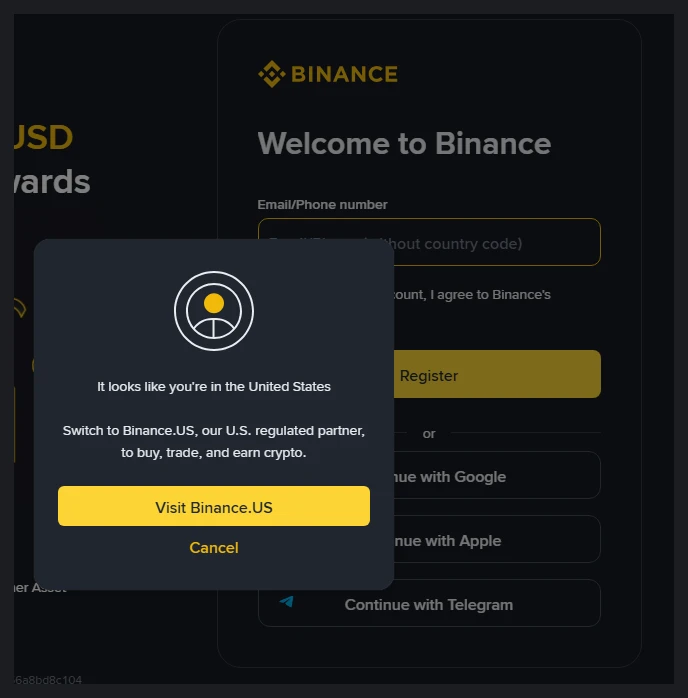
Binance reads your IP and serves you accordingly. Opening the sign-up page over a US exit produced this straight away:
"It looks like you're in the United States", then an offer to visit Binance.US.
Understand what that means: Binance.US and binance.com are two separate platforms. Accounts do not carry over. Listed assets, available features and fee schedules all differ. An account on one is not an account on the other.
So before typing anything, check which domain you are actually on and whether a dialog like this appeared. If it did, Binance has decided your region goes down a different route. Pushing through anyway usually fails at verification, because the residence you entered will not match where you appear to be.
One more thing: routing through a VPN and then entering a residence that does not match your documents is a path that ends badly. Verification checks against your ID, withdrawals check against your bank. When neither lines up, it is your money that sits frozen.
A note on the dialog itself: it does not appear every time. We opened the same URL repeatedly and got it on some loads and not others. Its absence proves nothing — check the domain yourself either way.
Two: step one has one input box, and no referral field
Plenty of guides tell you to "find the referral field and enter XXXXXX". What is actually on screen at step one is a single "Email/Phone number" box, a privacy consent checkbox, a Register button, and three third-party options (Google, Apple, Telegram).
There is no referral input. Not in English, not in Chinese, not in Ukrainian — we checked all three.
The code travels in the URL. Open a link carrying ?ref=, and after the redirect to accounts.binance.com the ref parameter is still attached. Going in through a link with the parameter means the code is already applied; there is nothing to type.
If you reached the site on your own and cannot find where to enter a code, go by what is actually on your screen. Sign-up flows differ by region and entry point, and we have not logged in, so we cannot tell you what every later step looks like.
Three: what "up to 20%" actually means
The left panel of the sign-up page carries the offer. With our code it reads:
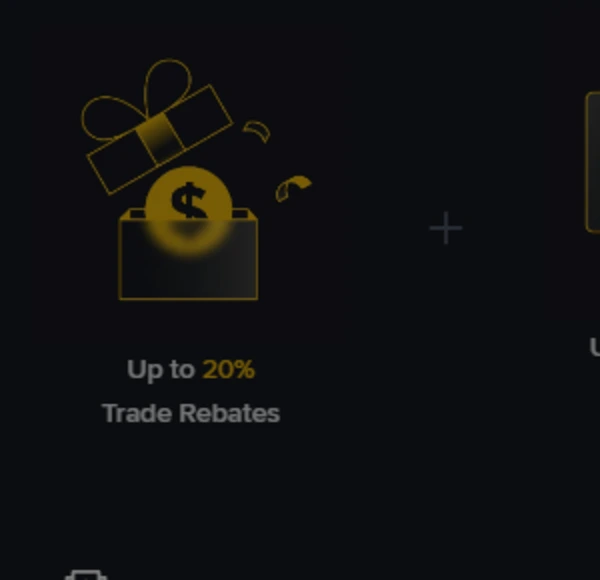
"Up to 20% Trade Rebates." The two words that matter are up to.
Twenty percent is a ceiling, not a promise. What lands in your account depends on your tier, your region and whichever campaign terms are running when you register. Any site that writes "20% back with my code" has quietly converted a ceiling into a fixed number.
Read whatever your own screen says at the moment you sign up. That is the only figure that binds anybody.
Four: the name and the email are expensive to get wrong
Two fields at sign-up are cheap now and costly later.
The email. Withdrawal confirmations, login alerts, password resets, account appeals — all of it lands there. Registering with a throwaway address, or one you check twice a year, means handing away the spare key to your own account. Use the one that pushes to your phone.
The name. Verification photographs your ID and compares it to what you typed. If they do not match, verification fails and correcting it means a manual review. Type it exactly as printed on the document.
Have the document ready before you start. Verification generally wants a clear photo of the original, sometimes a selfie or a liveness check. Discovering halfway through that your passport is in another room means starting that stretch over.
Then, before anything else, turn on 2FA
Once the account exists, the next step is not funding it. It is two-factor authentication.
The reasoning is blunt: an account protected by an email and a password is gone the moment someone has the email. Crypto transfers do not reverse. No support desk can pull it back for you, which is precisely how this differs from a bank.
You will find it in Binance's security settings. We have not logged in, so we are not going to draw you a menu path that may already be stale — look for "two-factor authentication" or similar under security.
Two small things worth doing at the same time: switch on the withdrawal address whitelist, and note down the anti-phishing code you set. When an email claiming to be from Binance arrives later, that code is how you tell.
If someone claiming to be Binance support ever contacts you, checking it yourself takes about thirty seconds with the official tool.
Questions people actually ask
Does it cost anything to register? No. Registration and verification are free. Costs come from trading, transfers and certain products — separate matter.
How trading fees are actually charged is walked through against the official table in reading the fee table for what you pay.
Do I have to verify immediately? An unverified account can do very little, so realistically yes if you intend to use it. But you can register, turn on 2FA, and verify once your documents are in hand.
Can I add a referral code after registering? Depends on Binance's rules at the time and on your region. Do not trust "you can add it any time" — check the help centre for where you are.
This site earns a commission through the referral link; that is how it is funded. It is an independent content site, not Binance and not its support team. Restricted accounts, stuck verifications and missing funds go through official Binance channels only.
All screenshots taken from the live pages on 2026-09-09. Binance changes its pages and its rules. Where what you see differs from this, yours is the one that counts — and we would like to hear about it.